
muOS app · free
Game Manager
Find, install and manage free homebrew games right on your handheld, using only the controller.
- Version
- 1.0.0 · 617 KB
- Tested on
- Anbernic RG40XXH · muOS 2601.0 Jacaranda
- Needs
- muOS with Wi-Fi
- License
- MIT · free and open source
What it does
Features
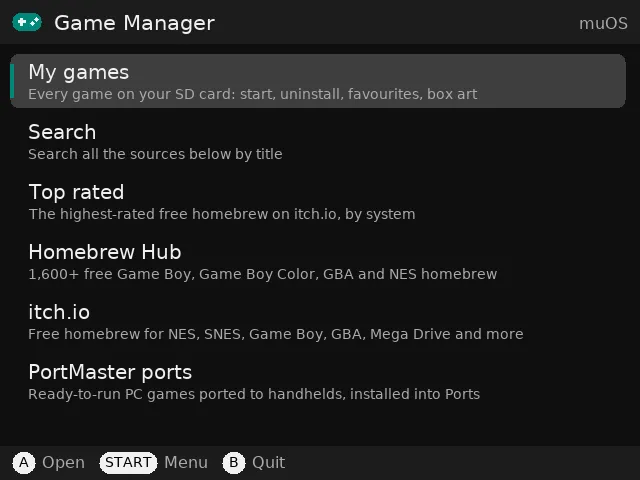
Three sources
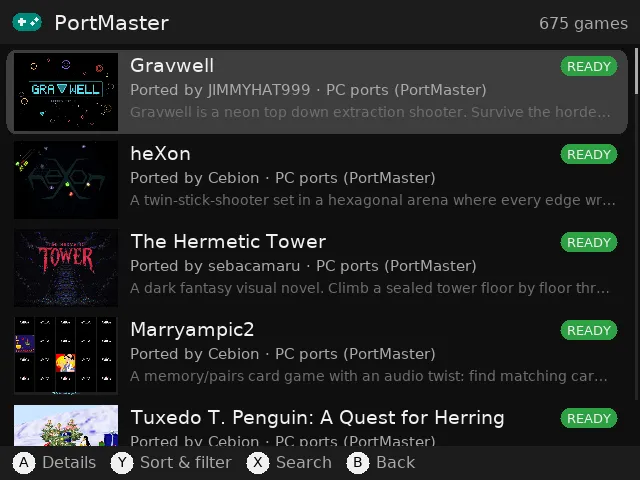
Homebrew Hub (1,600+ Game Boy, GBC, GBA and NES homebrew), free itch.io homebrew, and ~675 ready-to-run PortMaster ports.
Checks before it installs
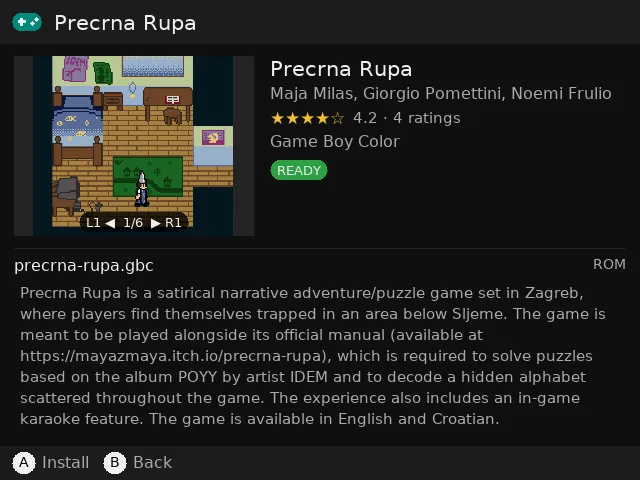
Badges show whether your device can run a game. After downloading, the ROM header is checked, so broken files and PC builds are never installed.
Installs the muOS way
Games go into the ROM folders muOS already uses, with box art and a description. PortMaster ports are installed with PortMaster itself.
Try it
Start a game straight from the app, then mark whether it works.
My games
Every game on your SD card by system, with play time, favourites, box art, start and uninstall.
Sort, filter and ratings
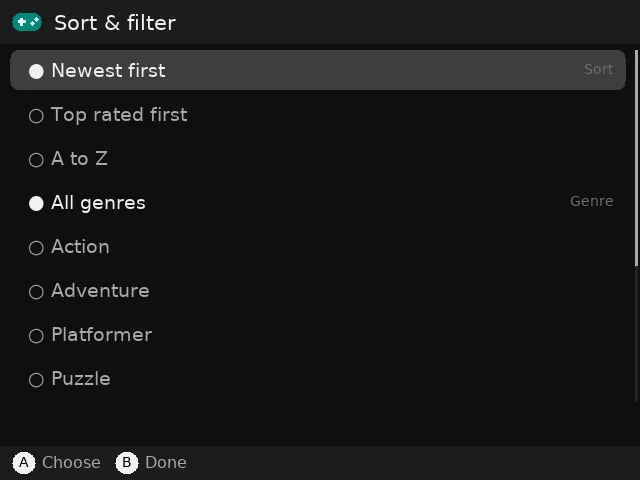
Newest, top rated or A to Z; filter by genre; star ratings and a screenshot gallery for each game.
Screenshots
On the handheld
Install
How to install
- Download GameManager-1.0.0.muxapp.
- Copy it to the
ARCHIVEfolder on SD card 1 (create the folder if it doesn't exist). - On the handheld, open Applications → Archive Manager and install it.
- Turn on Wi-Fi, then open Applications → Game Manager.
Downloading from itch.io needs your own free itch.io API key (create one here). Add it in the app under START → Settings. Homebrew Hub and PortMaster work without an account.
Check the download (SHA-256)
2c37ec2745ea6ef23357ce151fd1899d8b696ccf2805d37b7e9cbe3339863e4fOn a Mac or Linux: shasum -a 256 GameManager-1.0.0.muxapp. The result should match the line above.
Where the games come from
Game Manager downloads games from Homebrew Hub, itch.io and PortMaster, and box art for your own games from the libretro thumbnail library. Nothing is hosted by PocketKode: files come straight from those services when you ask for them. The games belong to their creators; check each game's license. Game Manager is an independent app, not affiliated with any of these services, muOS or Anbernic.
Credits & license
Game Manager is © 2026 PocketKode and released under the MIT License. It includes PySDL2 (CC0 / zlib) and the DejaVu Sans font (Bitstream Vera license); their license texts are in the app's licenses/ folder. It runs on the Python, SDL2 and RetroArch that come with muOS.
Feedback & bug reports
Found a bug or have an idea? Email feedback@pocketkode.com. If something went wrong, mention your device and muOS version, and attachlogs/app.log from the app's folder if you can.